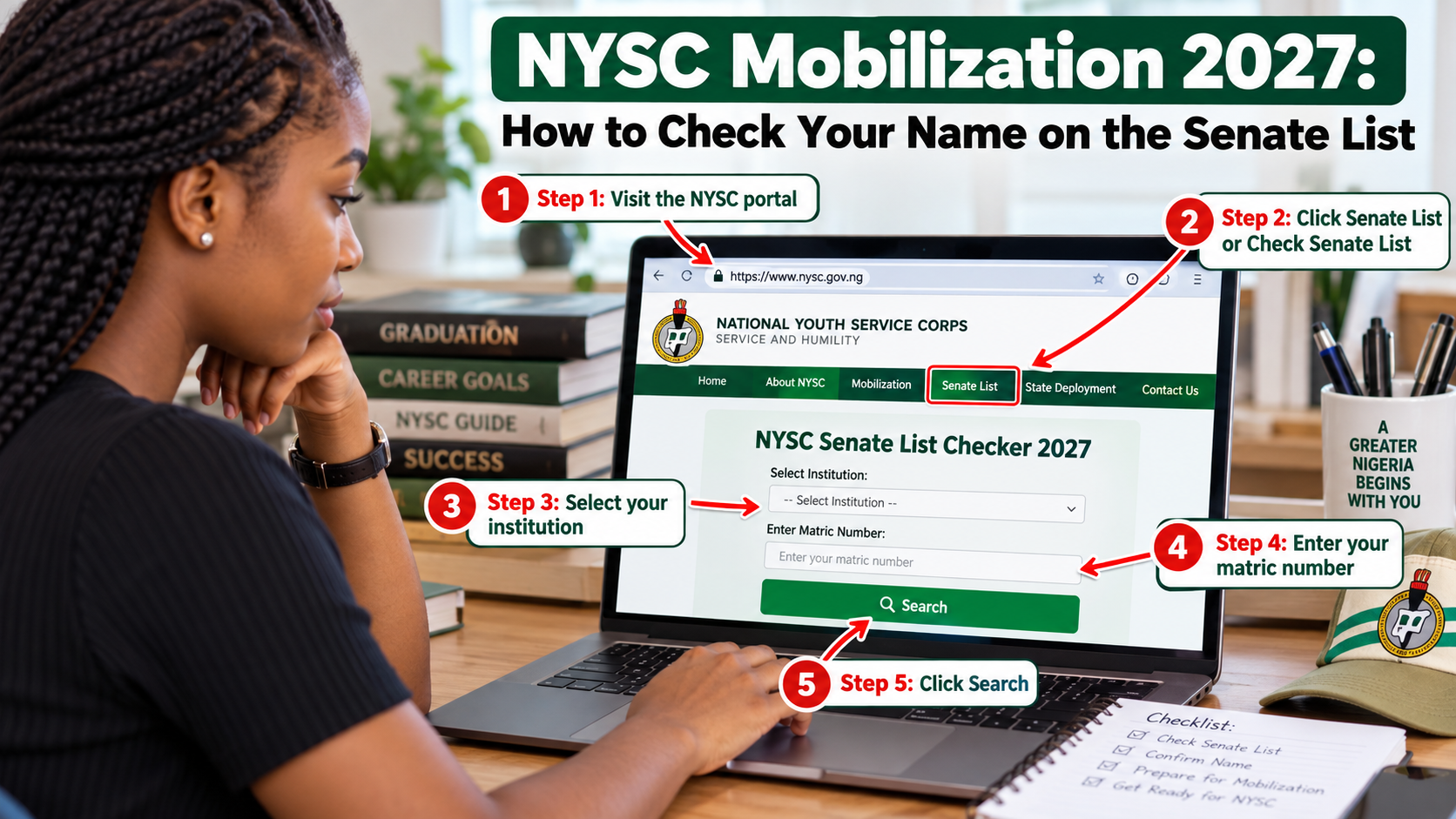
For locally trained graduates, appearing on the Senate or Academic Board approved result list is a key part of NYSC mobilization. If your record has not been correctly uploaded by your institution, you may not be able to continue with online registration.
The official NYSC portal provides a Senate List verification page where prospective corps members can check the information submitted by their institutions.
Details You Need to Check the Senate List
The verification page normally asks for information that identifies your school record. Enter the details exactly as they appear in your academic records.
- Institution
- Matriculation number
- Surname
- Date of birth
How to Check Your Name
Open the official NYSC portal and use the Senate List verification service. Select your institution, enter your matriculation number, surname and date of birth, then submit the search.
If your record is available, review the details carefully. The presence of a record does not mean you should ignore errors in spelling, date of birth or matriculation information.
What to Do If Your Name Is Missing
NYSC guidance directs locally trained graduates with Senate List problems to their institution. The Students Affairs or appropriate school office is normally the first place to report a missing record.
Do not pay an unknown person who promises to add your name directly to the NYSC system. The institution is responsible for submitting approved graduate records through the recognized mobilization process.
- Contact the Students Affairs office
- Confirm your result has been approved
- Confirm the matriculation number sent by the school
- Ask whether your record is part of the batch being processed
- Check the portal again after the institution confirms an update
Correct Errors Before Registration
If your name appears but the details are wrong, report the problem early. Some corrections depend on the institution while others use specific NYSC correction procedures.
Date of birth is particularly important because NYSC has a defined correction process and candidates should not wait until service has started before addressing an error.
Use Only the Official Verification Page
Search results and screenshots from third party websites should not replace the official NYSC portal. Always return to the official portal to confirm your mobilization record.
Keep Checking Until Your Record Is Correct
Mobilization involves both your institution and NYSC. If your record is missing, stay in contact with the appropriate school office and keep evidence of any correction request.
Once the correct record appears, you can proceed with the next stage of the 2027 registration process when NYSC opens the portal for your batch.
Important: NYSC schedules, portal procedures, fees, allowances and document requirements can change. For 2027, confirm the latest information on the official NYSC website and portal before taking action.
Comments
0 approvedRegister for a student portal account or sign in if your account is already active. All comments are moderated before publication.
Register Student Login